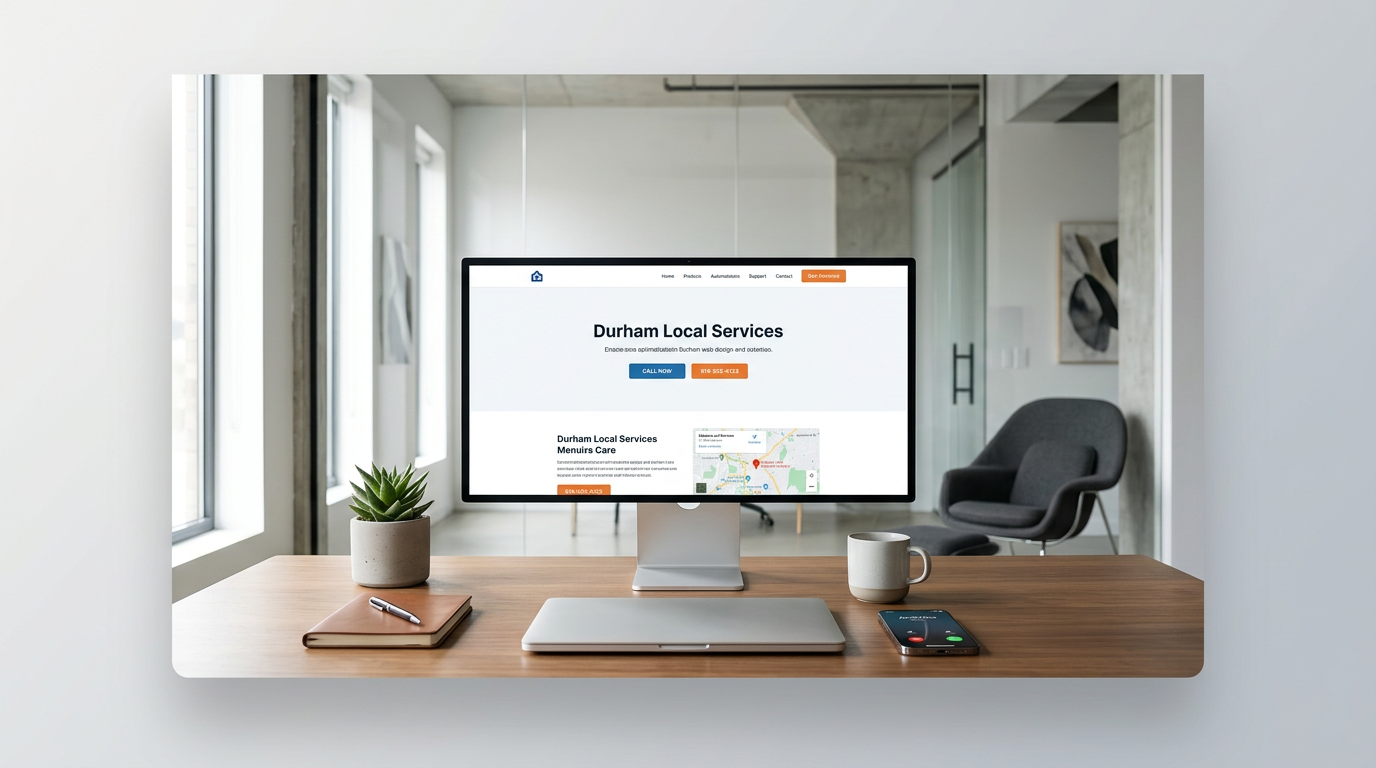
Most Durham businesses lose leads because their pages feel generic. People search with local intent. They want a nearby answer they can trust right now.
This guide shows how to plan, write, and launch local landing pages for Durham that rank in maps and turn visitors into calls and bookings. The key takeaway: match real neighborhoods and services, prove trust, and make it easy to contact you.
What Local SEO Durham Really Means
Local SEO Durham is about showing up when someone nearby is ready to buy. It is not only about keywords. It is about being the best match for a local need.
- Show Google you serve Durham with clarity and consistency
- Show people you are trustworthy and close by
- Make next steps fast with one clear call to action
Why most local pages fail
- They talk to everyone and no one. No mention of Durham, areas, or landmarks.
- They hide contact actions. No phone button, no short form, no hours.
- They lack proof. Few reviews, no photos, no licenses, no guarantees.
What a winning local page includes
- Clear service + location headline
- Service details for the Durham buyer
- Trust signals and social proof
- Fast contact options and hours
Choose the Right Pages to Build
You do not need dozens of pages at once. Start with the services and areas that bring profit.
- Highest margin services first
- Areas with strong demand or low competition
- Terms your customers actually use
Map services to neighborhoods
List your top services. Then pair each with real Durham areas people recognize.
- Downtown Durham repairs
- Oshawa furnace installs
- Whitby emergency plumbing
- Pickering roof inspections
- Ajax same day electrical
Prioritize by intent and value
- Emergency terms signal action now
- Replacement terms often bring larger jobs
- Maintenance terms help fill slow periods
Craft Copy That Feels Local and Useful
Write like you are talking to a Durham customer on the phone. Short. Clear. Direct.
- Use the primary keyword once in the first paragraph
- Mention nearby areas naturally
- Focus on outcomes and next steps
A simple page structure
- Headline: service + Durham
- Subhead: what you fix, how fast, where
- Proof: reviews, photos, affiliations
- Offer: warranty, same day, free quote
- CTA: call now or book online
- FAQ: practical, short answers
Example headlines and subheads
- Headline: Water Heater Repair in Durham
Subhead: Same day fixes in Whitby, Oshawa, and Ajax. Upfront pricing.
- Headline: Roof Leak Repair Durham
Subhead: Emergency patch and full repair across Pickering and Brooklin.
Build Trust With Real Proof
People compare you with two or three others. Make trust obvious without scrolling.
- Place review stars and a short quote near the top
- Show team photos or work images, not stock only
- Add licenses, insurance, and memberships
Fast trust checklist
- 3–5 recent reviews with first names
- Service area map or neighborhood list
- Before and after photos
- Clear warranty or guarantee terms
Use local cues
- Mention known streets, parks, or landmarks if relevant
- Display service hours in Eastern Time
- Show a local phone number with click to call
Make It Easy to Contact You
Every page should have one main action. Calling is often the fastest path for local services.
- Sticky call button on mobile
- Short quote form with 3–5 fields
- Clear hours and response time
Form best practices
- Ask for name, phone, service type, zip or neighborhood, and a short note
- Confirm receipt on submit and state when you will reply
- Offer an option to upload a photo if helpful
Phone and chat tips
- Use a local number and answer with a clear script
- Offer texting for photos or quick details
- If you miss a call, auto reply with a callback window
Optimize for Search Without Jargon
You do not need to be technical to cover key basics. Focus on clarity and consistency.
- Use the service + Durham in your title and main heading
- Write a short meta description that promises value
- Add your business name, address, and phone consistently
On page essentials
- One primary keyword per page
- Natural mentions of neighborhoods and suburbs
- Alt text for images that describes the scene and location
Off page essentials
- Keep your business info consistent across directories
- Ask happy customers for reviews on Google
- Respond to every review with gratitude and specifics
Structure Pages for Speed and Clarity
A good structure helps both readers and search engines. Keep it simple and clean.
- Short paragraphs and clear subheads
- Bullet lists for services and benefits
- Prominent calls to action near the top and bottom
Reusable section blocks
- Service overview
- Areas served
- Pricing or starting rates
- Reviews and photos
- FAQs
Mobile first thinking
- Big tap targets for call buttons
- Readable fonts and strong contrast
- Key info visible without scrolling
Add Helpful Content That Answers Real Questions
If a customer asked it on the phone, answer it on the page. Useful beats clever.
- Pricing ranges and what affects cost
- How long jobs usually take
- What to do right now before you arrive
Simple FAQ examples
- Do you serve Oshawa evenings and weekends
- How fast can you arrive in Ajax for emergencies
- Do you provide written quotes in Pickering
Use photos and short videos
- Show a typical job setup
- Explain a maintenance step in 30 seconds
- Highlight safety and clean up steps
Compare Local vs Citywide Pages
Sometimes you need both types. Here is a quick comparison to decide what to build first.
This table compares local neighborhood pages with broader city pages.
| Page Type | Best For | Pros | Cons |
|---|---|---|---|
| Neighborhood page | High intent local searches | Strong relevance, better map fit, faster decisions | Requires multiple pages to cover all areas |
| Citywide page | Brand presence for Durham | Easier to maintain, good for general terms | Lower relevance for hyper local queries |
Measure What Matters and Improve
Do not guess. Track a few numbers that match your goals and update pages monthly.
- Calls and form submissions per page
- Conversion rate from page views to inquiries
- Review count and rating trend over time
Small, steady updates
- Swap in a new review each month
- Add one new photo per service page
- Expand FAQs based on recent calls
When to add more pages
- You see demand from a new neighborhood
- A new service becomes profitable
- Competitors outrank you for a key term
The Bottom Line
- Build specific pages for services and Durham neighborhoods
- Lead with trust signals and clear contact options
- Keep details consistent across your business profiles
- Update pages monthly with fresh reviews and photos
- Track calls and form submissions, then refine
Strong local pages bring you closer to real buyers. Do the basics well and you will see steady gains in calls and bookings.
COMMON QUESTIONS
Questions from this article.
How many local landing pages should I build first?
Start with 3 to 5 pages for your highest value services and the Durham areas you serve most. Expand as you see traction and have reviews to support each page.
Do I need separate pages for Whitby, Oshawa, Ajax, and Pickering?
If you actively serve those areas, yes. Dedicated pages help match local intent and improve relevance for map and near me searches.
What is the fastest trust signal to add to a page?
Place 3 to 5 recent Google reviews with first names near the top. Add a local phone number and a clear warranty or guarantee statement beside them.
How often should I update my local pages?
Review monthly. Swap in new reviews, add a recent project photo, and adjust FAQs based on common customer questions.
What should my primary call to action be on mobile?
Use a visible click to call button. Back it up with a short quote form for after hours or when calling is not convenient.